How To Use Hailuo H3
Step-by-step tutorial to generate AI videos using Hailuo H3. Register, enter prompts, generate videos, and download results.
Table of Contents
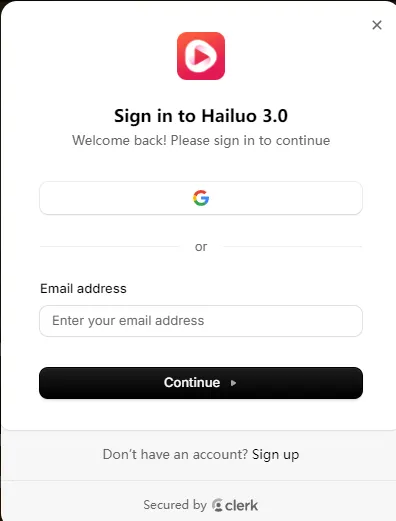
Registration & Free Credits
To begin your journey with Hailuo H3, the first step is to create an account. We offer a seamless onboarding experience through Google One-Tap or email.
15 Credits Bonus
Instantly credited upon verification. Limited to 3 accounts per IP address.
Navigating the Modes
Hailuo H3 offers two distinct pathways for video generation. Choosing the right one is key to saving your credits.
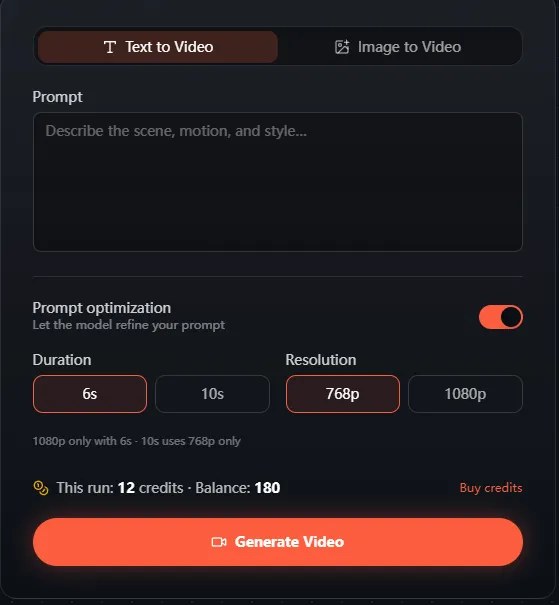
Imaginative Freedom
Best for generating completely new scenes from textual descriptions and cinematic prompts.
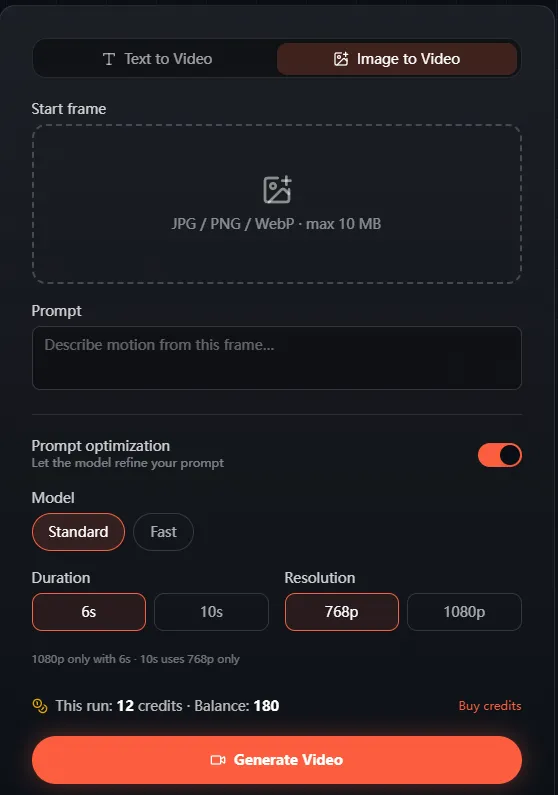
Structural Precision
Transform existing photos into motion. Provides higher consistency for character and scene layout.
Mastering the Cinematic Prompt Formula
Writing for Hailuo H3 is similar to directing a movie. We recommend using our structured SIAC formula to save credits and get better results.
"Cinematic drone shot of futuristic city, neon lights, slow pan, realistic motion."
"Close-up of a cyberpunk pilot in a cockpit, holographic reflections, hyper-realistic, 8k."
Why Choose Hailuo H3?
Fast AI Rendering
Optimized engine for rapid generation.
Beginner Friendly
No complex skills required.
Hybrid Support
Text & Image-to-Video.
Instant Export
One-click MP4 downloads.
Professional Use Cases
Marketing Videos
Generate eye-catching ad creatives with high conversion potential.
Social Content
Viral ready clips for TikTok, Instagram, and YouTube Shorts.
Narrative Scenes
Transform scripts into vivid, cinematic visual scenes.
Product Demos
Highlight product features with dynamic AI-powered camera shots.
Tutorial Guides
Create engaging visual guides for education or training.
Ad Creatives
Boost brand visibility with AI-driven advertising videos.
Technical Specifications & Output
Hailuo H3 produces industry-standard outputs compatible with most professional editing suites.
| Feature | Hailuo H3 Specification |
|---|---|
| Output Resolution | 768p / 1080p (Pro Mode) |
| Video Duration | 6 Seconds / 10 Seconds |
| Export Format | MP4 (H.264 Codec) |
| Generation Logic | Register → Prompt → Render |
Frequently Asked Questions
Quick Answers for Creators
Register an account (claim 15 credits), enter a prompt or image, click Generate, and Download. Seamless 4-step workflow.
Not at all. Hailuo H3 is built for accessibility. If you can write a prompt, you can create a movie.
Your content is securely stored in your User Dashboard History for later download and management.
Yes. Revisit your user center anytime to re-download earlier generations in 1080P format.
Explore our premium plans to keep creating: Hailuo H3 Pricing